2.1.10. Facts Tab
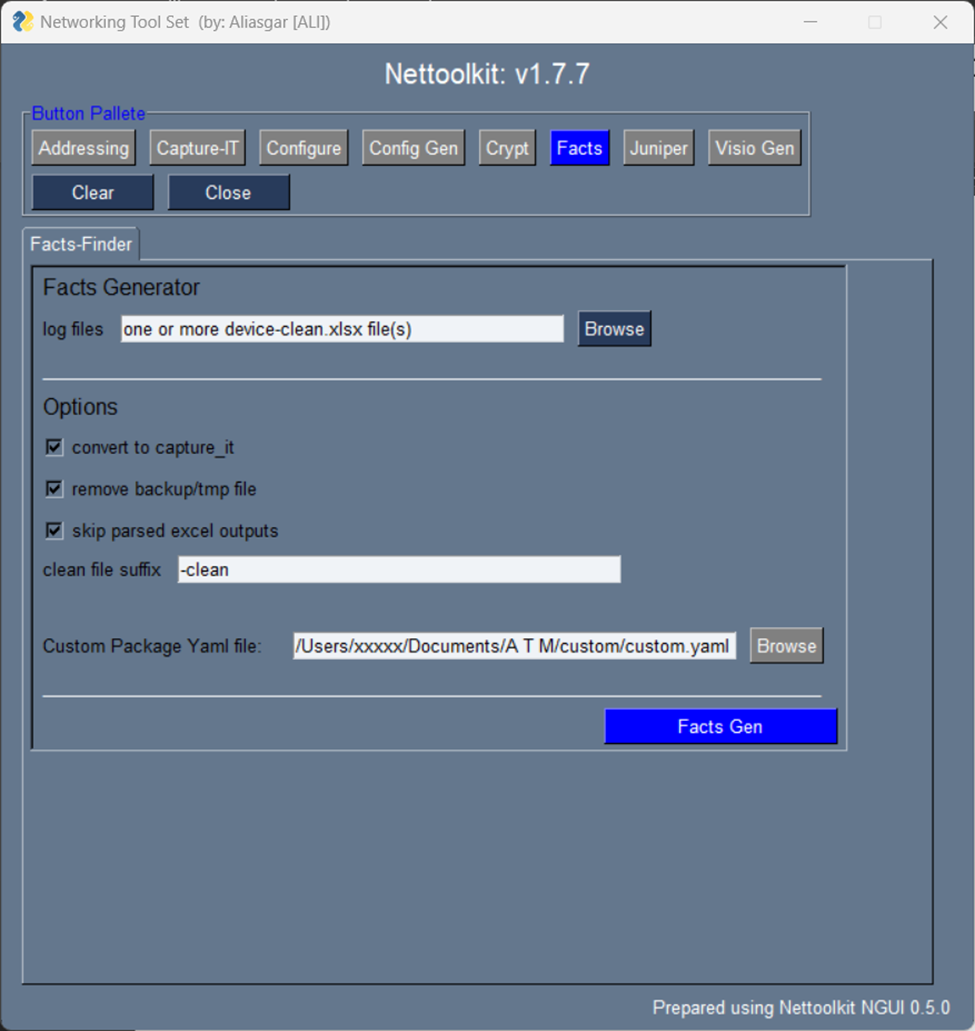
A Utility which helps generating device facts in user understandable excel format.
It supports for cisco-ios & juniper - switches & routers for now.
Here is a few Keys and requirements to understand.
Log Files: All it requires is capture-it log files, with a certain key command outputs. ( watch cli section for more details )
Other options are:
convert to capture-it: use this if captured output is not taken by capture-it utility.remove backup/tmp files: auto cleanup after processing.skip parsed excel files: Enable support for older textfsm output parser output merge in output.custom package yaml file: Yaml file containing custom package and class listing. ( more details below )
2.1.11. Demo Video - Facts Tab
A small sample Demo video on YouTube
Sample of customer.yaml
facts_finder:
   CustomDeviceFactsClass: !!python/name:custom_factsgen.CustomDeviceFacts ''
   foreign_keys: !!python/name:custom_factsgen.FOREIGN_KEYS ''
Where, We have a class named CustomDeviceFacts in a package custom_factsgen. [ referenced as CustomDeviceFactsClass] Similarly, we have a dictionary defined named FOREIGN_KEYS in a package custom_factsgen. [ referenced as foreign_keys]
CustomDeviceFactsClass: A class which takes cleaned facts dictionary as argument and work on it, to derive the additional custom attributes, required to be added to clean output file. foreign_keys: A Dictionary with list of additional fields required to be added to clean excel file. ( custom fields mentioned here, only those will be permitted to be add in clean files.)
Sample Foreign key dictionary:
FOREIGN_KEYS = {
   'bgp':[ "router_id", ],
   'vrf':["vrf_vpnid", "vrfcolor", ],
   'interfaces':[ "int_type",  "int_type", "int_description", ],
}